Weighted grades, explained (and why your totals finally add up)
How Lernie calculates course totals from categories like quizzes, assignments and exams, and how to release grades only when you're ready.
By Lernie team
Product · October 2, 2026 · 1 min read

"Why does my total say 92% when I've only done one quiz?" It's one of the most common questions students ask, and it usually comes from a gradebook that averages only the work marked so far. Lernie does it differently.
Categories and weights
Most syllabuses split the final grade into parts, for example:
| Category | Weight |
|---|---|
| Quizzes | 25% |
| Assignments | 25% |
| Final exam | 50% |
In the gradebook, open Grade weights, create these categories and give each a weight. The weights must add up to 100%. Then assign each quiz and assignment to a category.
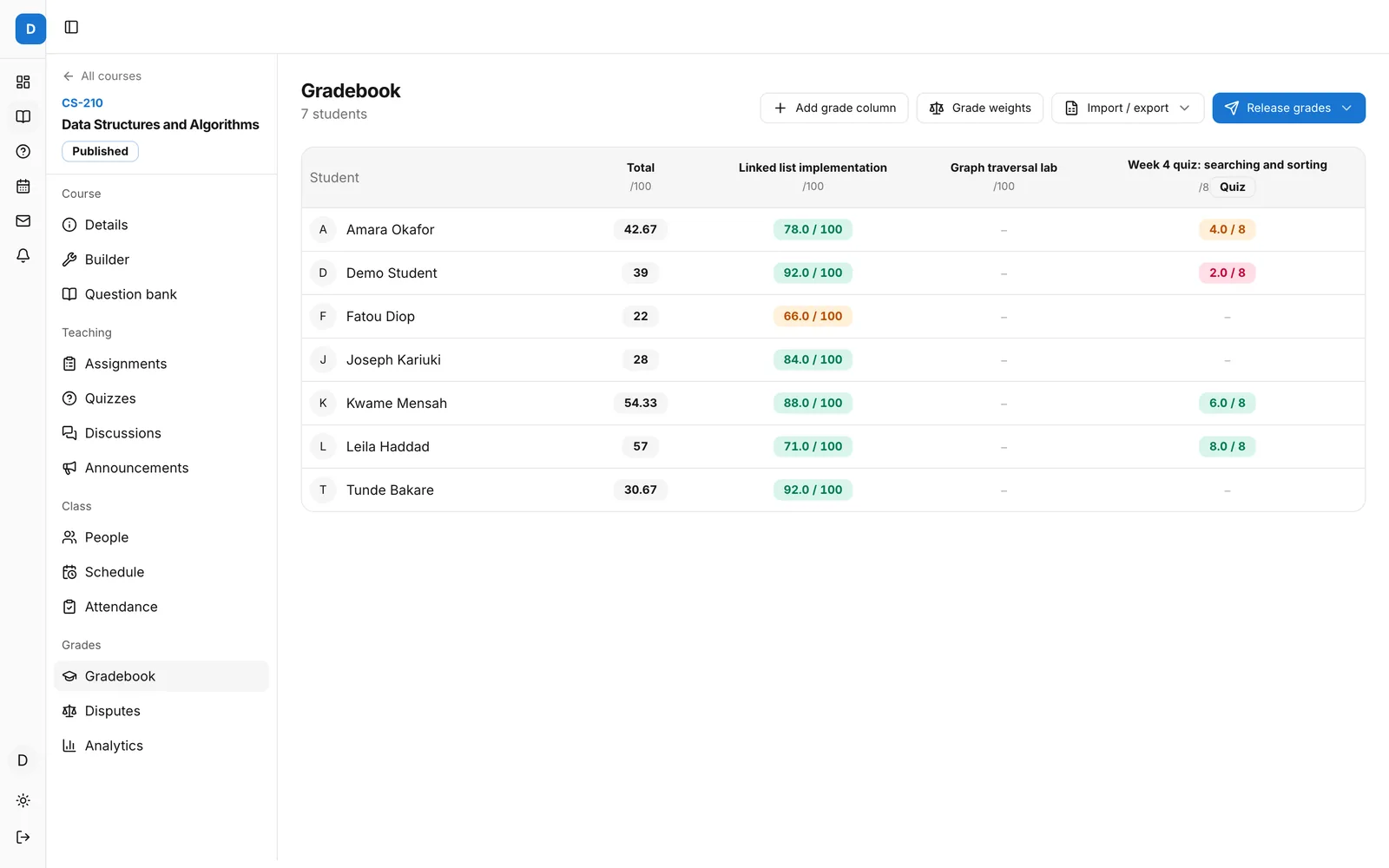 The Lernie gradebook for a course with seven students
How the total is worked out
Within a category, Lernie averages the items that have been graded. Across categories, it adds up each category's share of the final grade, and ungraded work counts as zero.
So a student with full marks on every quiz so far, but no assignments or exam yet, sees 25 out of 100, not 100%. The total always shows what has been earned towards the final grade, so nobody is surprised at the end of term.
Letter grades only appear once all the work is graded or you release final grades.
Releasing grades
You decide when students see their marks:
- release one assignment's grades when marking is done;
- release everything in the course with Release grades;
- at the end of term, use Release final grades to show course totals and letter grades on every student's academic record.
Until then, students see the individual results you've released and a simple "–" in place of their course total.
Extra credit and excluded items
Mark an assignment as extra credit and it can lift a total without counting against anyone who skips it. Mark practice work as excluded from the final grade and it still appears in the gradebook, but doesn't count.